Decision Challenges / Personal financial literacy
Money decisions
become adventures.
Students handle financial choices inside interactive situations. Teachers see what they did and read the thinking behind their decisions.
Choose “Make an account” on the teacher access page.
School or district? Request a walkthrough →
The classroom experience
Their choices. Their explanations.
An experience that gives students room to act and teachers something meaningful to discuss.
Choose a challenge
Preview the available experiences and select one that fits your students, the financial idea, and the lesson you have taught.
Students make decisions
Students join the class, step into a situation, weigh competing needs, and explain what mattered to them.
Review the reasoning
Read the record of decisions alongside students’ explanations. Use the evidence to guide discussion and your own judgment.

Inside the student experience
A small stall.
Plenty to think about.
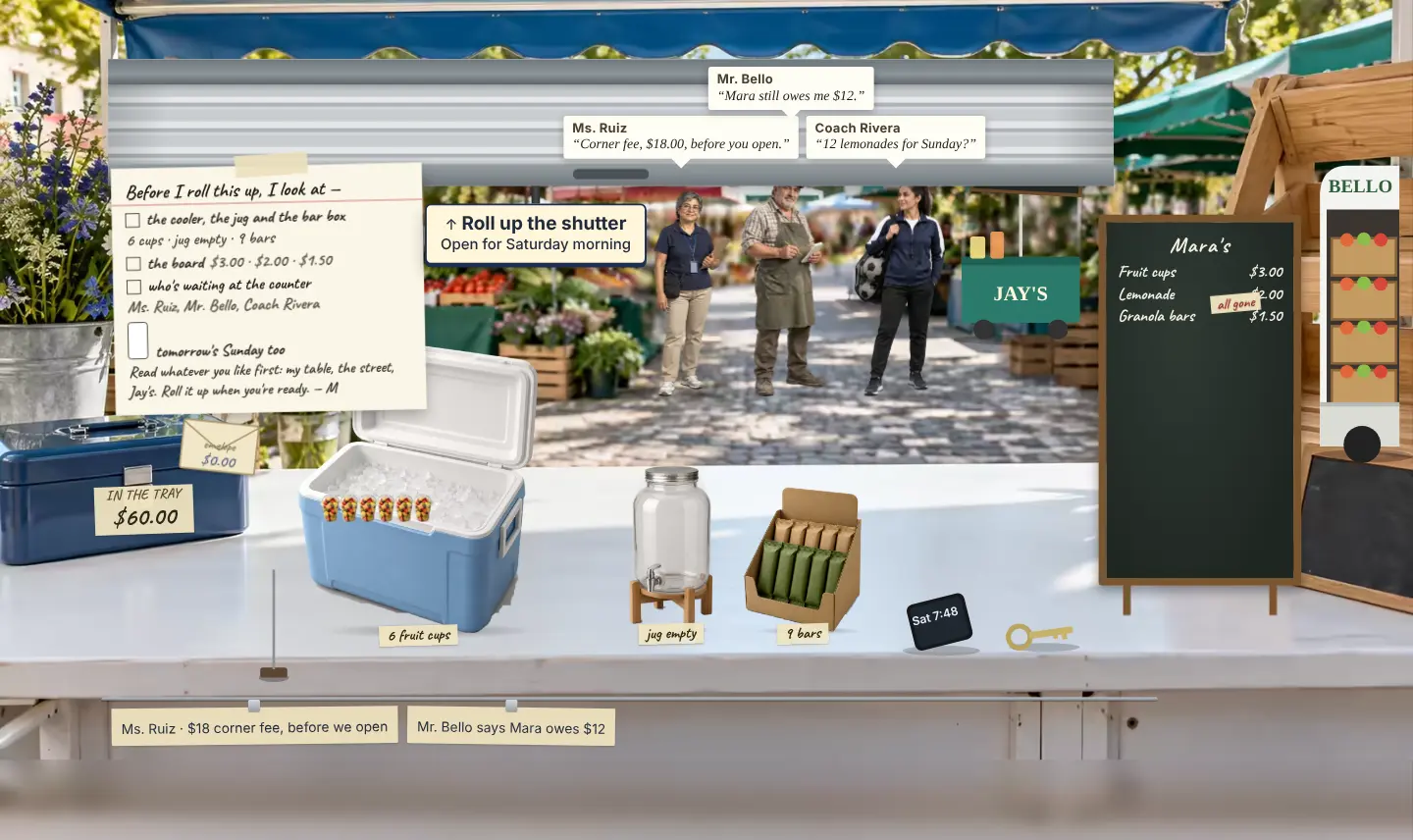
You’re looking after a neighbor’s corner stall. There is stock to manage, money to keep track of, and people with competing needs.
Students decide how to use limited resources, see the situation respond, and account for their choices. The learning lives in the tradeoffs they notice and the reasons they give.
- Financial ideas
- Spending, planning, obligations, and opportunity cost.
- What comes back
- A record of actions and the student’s own explanations.
The teacher experience
See the thinking
behind the result.
Two students can reach a similar outcome for very different reasons. Decision Challenges preserves what they did and what they wrote, so you can examine the difference.
Ask for a teacher-view walkthrough- 01The decisions
Review the actions recorded during the student’s run.
- 02The explanation
Read the student’s own account of the choices they made.
- 03Your professional judgment
You evaluate the reasoning. An outcome, a quick finish, or missing evidence does not establish financial mastery.
A practical place to begin
Made for learning.
Chosen by the teacher.
Our development focus is K–8 personal financial literacy, with New York State financial-education objectives as an initial foundation.
Choose for the students in front of you. The K–8 direction does not mean every grade or topic has a released challenge. Preview current content, reading demands, and objective fit before assigning.
- Devices & access
- A current browser and an internet connection. Students join using class access codes; they are not asked for an email address.
- Teacher preparation
- Create an adult account, preview the challenge, and plan instruction and discussion around it.
- Standards & grade fit
- Review the current catalog and objectives for your grade. Discuss local curriculum requirements in a walkthrough.
- School authorization
- Confirm school approval before entering student information. Read data protection →
Before your first class
A few useful answers.
Can I create a teacher account directly?
Yes. Open the teacher access page and choose “Make an account.” You do not need to submit a sales inquiry first. Keep the recovery code issued by the app in a safe place.
Is Founding Access time limited?
Founding Access has no scheduled expiration within its agreed scope. Existing complimentary commitments remain in place. Check your account’s agreed scope and discuss any additional institutional needs with BOW.
How do students join?
Teachers set up the class in the application. Students use the class code and their own sign-in code. Follow the app’s current setup instructions and your school’s authorization requirements.
Does the game grade students automatically?
Teachers read and judge the explanations alongside the actual record. BOW does not machine-score written reasoning or treat game results as an automatic mastery score.
What is happening with District 26?
After an October 19, 2026 professional-learning presentation, interested Queens District 26 educators began implementation work with BOW. This is educator interest and early work, not a claim of district-wide deployment, endorsement, a paid agreement, or measured learning gains.
For individual teachers
Your next lesson starts with a decision.
Create a Decision Challenges teacher account. Choose “Make an account” on the teacher access page.